
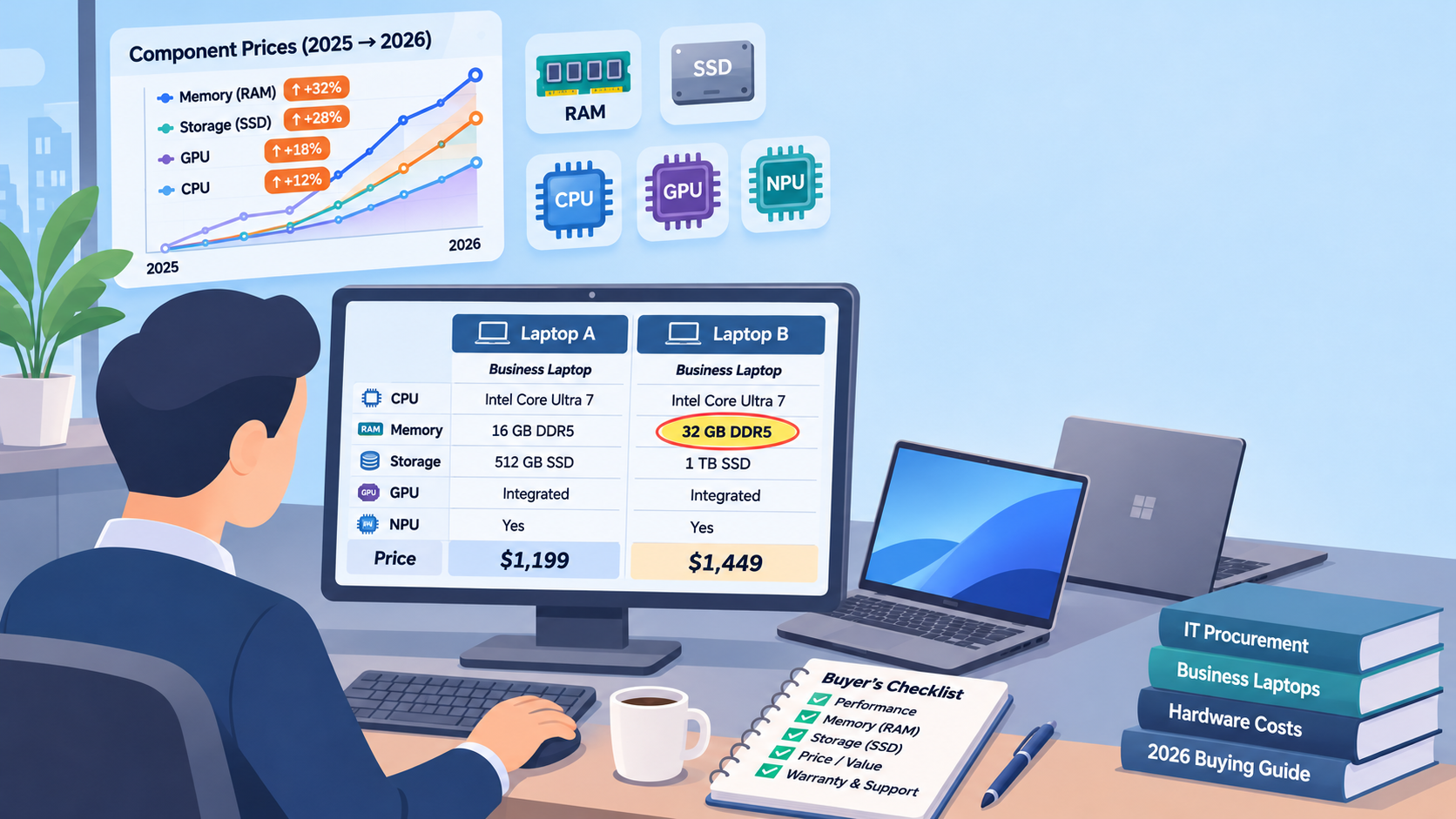
If you priced business laptops this year, you already know the number went up. What’s less obvious is why, and the why matters, because it tells you where to spend and where to hold back.
The short version: memory got expensive. The longer version changes how a sensible buyer should approach 2027.
What changed inside the machine
For years, memory and storage were among the cheaper parts of a PC. In 2026 that flipped. Ben Yeh, principal analyst at Omdia, said memory and storage rose from a typical 15% of a PC’s cost to nearly 40%, with those component prices up more than fourfold. Omdia counted worldwide PC shipments down 21.2% year over year in the third quarter, to 58.1 million units, and expects the fourth quarter to contract 24%.
Gartner saw it coming. In February it forecast that combined DRAM and SSD prices would rise 130% by the end of 2026, that PC prices would finish the year 17% above 2025, and that memory would peak at 23% of a PC’s bill of materials, up from 16%.
Why is memory so tight? TrendForce reports that memory makers are favoring higher-margin server and AI products over parts for everyday PCs. Your next laptop is competing with data centers for the same chips.
Where the mid-range went
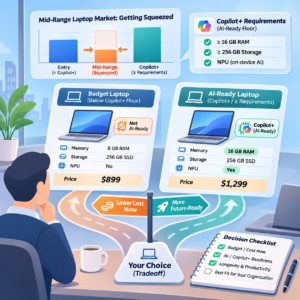
When one part’s cost jumps that far, something gives. Our read, and it is our inference rather than any analyst’s finding, is that the configurations in the middle get squeezed first. A manufacturer can protect the entry price by trimming memory, or protect the spec and raise the price. Either way, the comfortable middle gets thinner.
There’s a second pressure. Microsoft’s Copilot+ PC standard sets a floor: a neural processing unit (NPU) rated at 40 or more TOPS, at least 16 GB of RAM and at least 256 GB of storage, according to HP’s Copilot+ guide. TOPS stands for trillions of operations per second, a measure of how much AI work the chip can handle. A machine with less than 16 GB won’t qualify.
So you face a real choice. Buy below the Copilot+ floor and you pay less today for a machine that won’t run those features. Buy at or above it and you pay for the part that costs the most right now. Neither answer is wrong. Not knowing which one you bought is the mistake.
Match the machine to the job
One standard build for everyone made sense when memory was cheap. Now it’s how budgets leak. Start from the work.
Office staff live in email, documents and video calls. Size them to the floor your software roadmap needs, and if Copilot+ features are on that roadmap, that floor is 16 GB.
Mobile staff care about weight, battery and how the machine survives a commute. Spend there before you spend on memory they won’t use.
Engineers, designers and video teams are different. NVIDIA positions its RTX PRO Blackwell desktop GPUs for design, simulation, rendering, 3D building models and AI development. Those teams need a workstation, and a workstation GPU carries a lot of memory of its own. Digital Citizen reported in August that the price of NVIDIA’s top RTX PRO Blackwell card had nearly doubled since launch, tied to memory costs. Buy those machines for the people who need them, and nobody else.
A quick note on the three processors you’ll see on a spec sheet. The CPU handles a broad range of everyday work. The GPU does parallel work and renders graphics. The NPU is built to run AI tasks, and HP notes it handles them with less power than the CPU or GPU would draw.
Storage: size it to the work
SSDs followed memory up. TrendForce expects NAND flash, the chips inside an SSD, to stay undersupplied through the rest of 2026, and forecast contract prices up 10 to 15% quarter over quarter in the third quarter. It also sees supply and demand moving closer to balance during 2027.
The practical move is to size storage to what people actually keep on the machine. If most files live in cloud storage, a large local drive is money spent on empty space. If a team works with large design or video files, local capacity earns its cost.
Planning for 2027
The forecasts don’t point to a quick return to old prices. Jitesh Ubrani, research manager at IDC, said memory shortages will persist well into 2027, that IDC anticipates some easing of prices beginning in 2028, and that the market is unlikely to return to 2025 pricing levels. Omdia forecasts a further 7% decline in PC shipments for 2027.
Businesses are already adjusting by keeping machines longer. Gartner expects business buyers to stretch PC lifetimes by 15% by the end of 2026. That makes each purchase decision last longer, which is a reason to get the build right rather than a reason to rush.
A workable plan has four parts:
- List what you have and when each machine is due.
- Set one standard build per job, not one for the whole company.
- Size memory and storage to the work, with the Copilot+ floor where AI features matter.
- Stagger the purchases so no single quarter carries the whole refresh.
One partner for the whole refresh
Adirondack Networks sources business laptops, workstations, workstation GPUs, CPUs, SSDs and memory, and supports them after they arrive with warranty administration and device management. Send us the roles and machines you’re planning for, and we’ll come back with options side by side, quoted to your list.
One Network, One Partner, One Solution.
Sources
- Cyprus Mail, Rising memory costs push computer prices higher as demand weakens (Omdia), Oct 19, 2026
- Gartner, Surging memory costs will reduce global PC and smartphone shipments in 2026, Feb 26, 2026
- PCWorld, The era of bargain-priced PCs is behind us (IDC), Mar 12, 2026
- Igor’s Lab, DRAM and NAND remain more expensive: TrendForce sees slowing but still rising memory prices in Q3 2026
- PC Guide, SSD prices may finally start to settle down next year (TrendForce), Jul 22, 2026
- HP Tech Takes, HP Copilot+ PC vs AI laptops
- NVIDIA, RTX PRO in Desktops
- Digital Citizen, NVIDIA RTX PRO 6000 Blackwell price climbs as memory costs rise, Aug 14, 2026
- TechRadar, What is an NPU: the new AI chips explained, Jan 15, 2024