
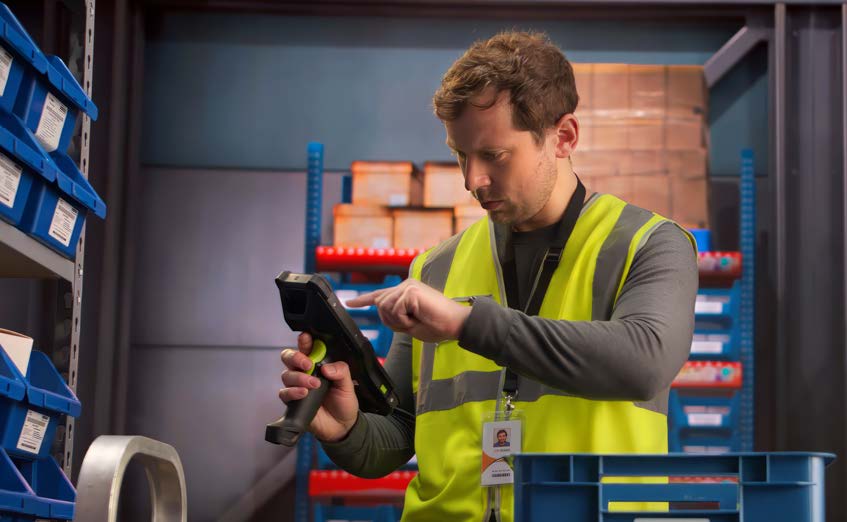
Warehouses and third-party logistics providers are being asked to move more inventory, process more orders, and meet shorter delivery windows without sacrificing accuracy.
That puts increasing pressure on the technology employees use every day.
For receiving, put-away, picking, inventory management, cross-docking, and shipping, rugged mobile computers have become an essential connection between frontline workers and warehouse management systems.
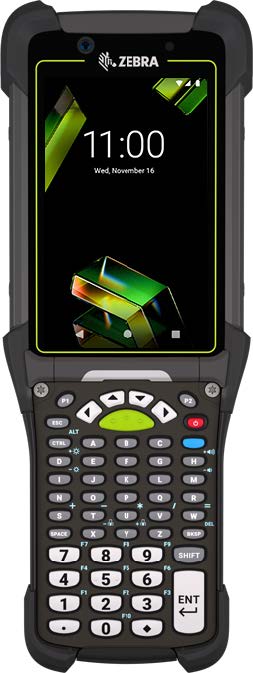
The Zebra MC9400 and MC9450 ultra-rugged mobile computers are designed specifically for these demanding environments.
As the next generation of Zebra’s MC9000 Series, the MC9400/MC9450 combines more processing power, advanced barcode scanning, rugged construction, Wi-Fi 6E connectivity, and—on supported MC9450 configurations—5G connectivity to help keep warehouse operations moving.
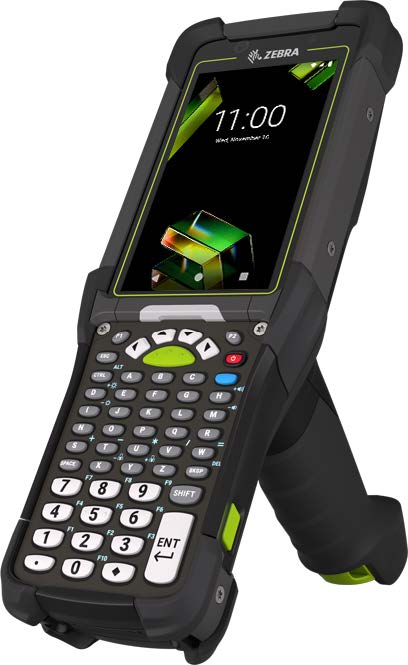
Why Mobile Computing Matters More Than Ever in the Warehouse
E-commerce growth and increasingly demanding fulfillment schedules have changed what warehouses expect from frontline technology.
A mobile computer isn’t simply a barcode scanner anymore.
Warehouse employees may use the same device to:
- Access a warehouse management system (WMS)
- Scan incoming inventory
- Verify products
- Locate storage positions
- Pick orders
- Update inventory in real time
- Capture photographs
- Communicate with other employees
- Document shipping and receiving activity
- Access ERP and other business applications
The original MC9400/MC9450 campaign describes the goal well: move goods into, through and out of the warehouse faster and more efficiently.
That makes performance, connectivity, scanning range, ergonomics and durability important parts of the overall warehouse workflow—not simply device specifications.
Where Can You Use the MC9400/MC9450 in Warehouse Operations?
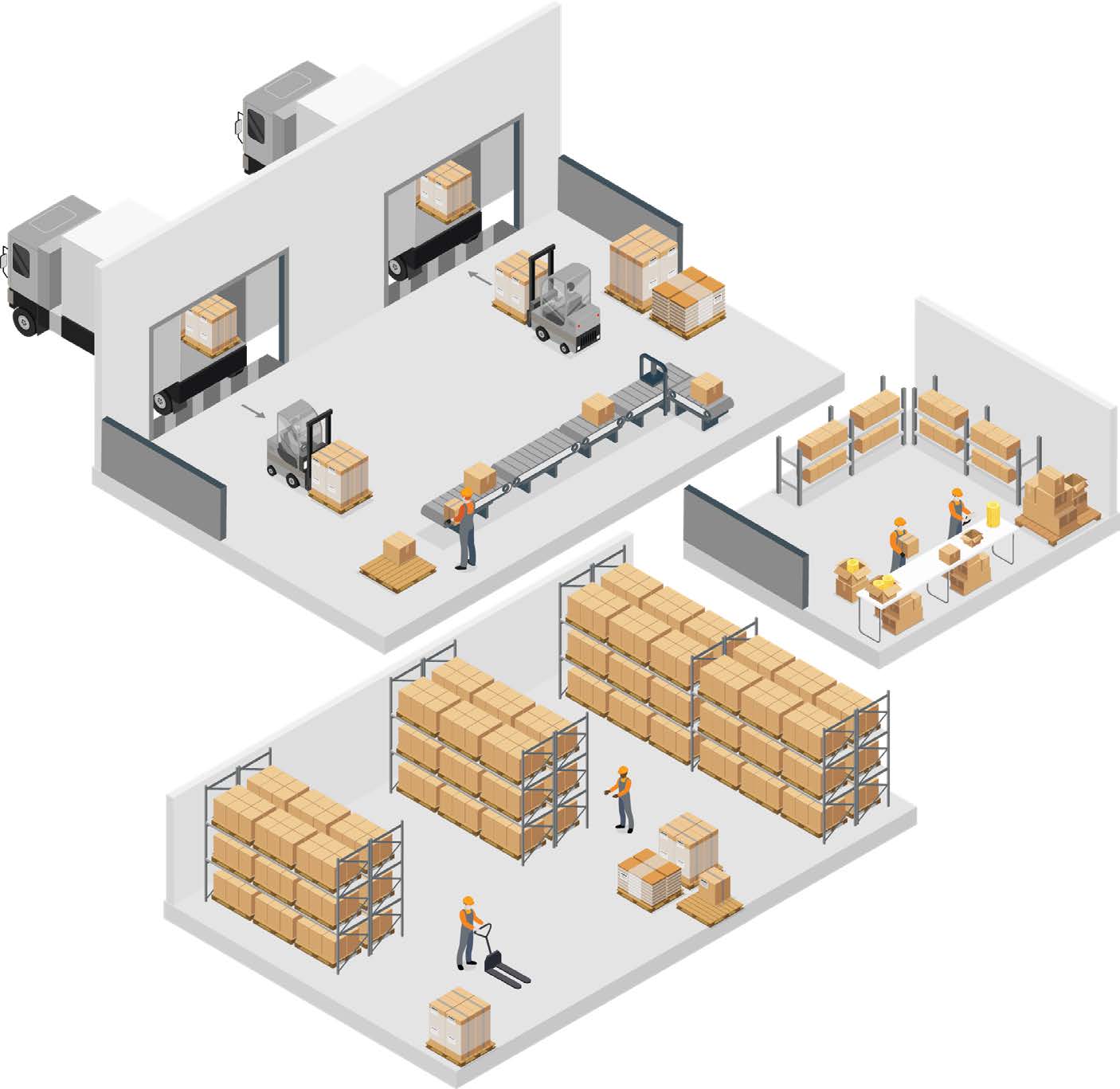
One of the strengths of a rugged warehouse mobile computer is that the same device platform can support multiple workflows throughout a facility.
The MC9400/MC9450 can play a role from the moment a shipment arrives until the product leaves the warehouse.
Receiving
Accurate inventory data starts at the receiving dock.
Warehouse employees can use mobile computers to identify arriving products, verify shipments, inspect inventory and make information available to the WMS as goods enter the facility.
This gives operations teams visibility earlier in the process and can help prevent an incorrect item or quantity from creating problems farther downstream.
The camera can also be valuable during receiving. Detailed photographs can document damaged incoming shipments, packaging conditions or other exceptions before the inventory is moved.
Put-Away
Once inventory is received, workers need to place it in the correct storage location quickly and accurately.
Mobile workflows can direct employees to the appropriate location while verifying that the product and destination match.
This is particularly important because a put-away mistake doesn’t necessarily become obvious immediately.
The mistake may not be discovered until another employee is trying to pick the product for an order.
Preventing the error at the point of put-away can therefore reduce problems later in the fulfillment process.
Picking
Picking is one of the warehouse functions where mobile computing can have an especially direct effect on productivity.
Employees can use the MC9400/MC9450 to:
- Receive picking instructions
- Locate inventory
- Scan the product
- Verify the correct item
- Confirm quantities
- Update inventory
- Move to the next pick
Instead of relying on paper lists and updating records later, information can move between the worker and warehouse management system as the work is being performed.
The result is a workflow designed around both speed and verification.
Cross-Docking
Cross-docking creates another demanding mobile computing environment.
Products need to move rapidly between inbound and outbound transportation, sometimes without entering long-term storage.
Employees therefore need fast access to accurate shipment information.
Mobile scanning can help verify that goods are being moved to the appropriate trailer or staging area and that shipment activity is recorded as it occurs.
For 3PL operations dealing with multiple customers, shipments and carrier schedules, those real-time verification steps can become especially valuable.
What Makes the MC9400/MC9450 Different?
The MC9400 and MC9450 build upon Zebra’s established MC9000 Series platform.
The latest generation provides more power, advanced scanning, Wi-Fi 6E and 5G capabilities for demanding warehouse workflows.
More Processing Power
Modern warehouse applications demand considerably more from handheld devices than traditional barcode scanning applications did.
Employees may need to run WMS, ERP, communications and productivity applications on the same mobile computer.
According to the campaign specifications, the MC9400/MC9450 platform provides 2.5 times the processing power and 50% more RAM compared with the MC9300.
That additional capability is especially relevant for organizations moving beyond single-purpose scanning and toward more sophisticated mobile workflows.
Wi-Fi 6E Connectivity
A mobile warehouse system is only as useful as the connection between the device and the applications workers need.
The MC9400/MC9450 supports Wi-Fi 6E, providing access to additional wireless spectrum and increased network capacity compared with older Wi-Fi generations.
In busy warehouses with many simultaneously connected scanners, printers, tablets, computers and IoT devices, wireless capacity can become an important consideration.
5G Connectivity With the MC9450
Some warehouse workflows extend beyond reliable Wi-Fi coverage.
Loading docks, yards, curbside areas and other outdoor or transitional spaces can create gaps.
Supported MC9450 configurations add private and public 5G connectivity, allowing employees to maintain access to applications and information in areas where Wi-Fi may not be available.
That can make the device particularly useful for organizations whose workflows cross between indoor and outdoor environments.
Advanced Barcode Scanning
Warehouse scanning conditions vary dramatically.
A worker may need to capture a barcode directly in front of them on one task and identify a barcode on a rack or pallet farther away during the next.
The MC9400/MC9450 platform is designed for high-performance data capture to support those warehouse scanning requirements.
For operations evaluating a device, scanner configuration should be matched to actual working distances, barcode types, label conditions and warehouse layout rather than simply choosing a scanner based on specifications alone.
High-Resolution Camera
Barcode scanning isn’t the only form of data capture needed in a modern warehouse.
The device’s camera can be used to document:
- Damaged incoming shipments
- Returns
- Packaging problems
- Inventory exceptions
- Merchandising conditions
- Other visual records
Instead of carrying a separate camera or relying on a personal phone, employees can capture documentation as part of the mobile workflow.
Built for Rugged Environments
Warehouse devices face very different conditions from ordinary smartphones.
Drops, dust, moisture, repeated scanning, temperature changes and continuous shifts are part of everyday use.
The MC9400/MC9450 is designed as an ultra-rugged platform. The campaign specifies resistance to drops of up to 12 feet (3.65 meters) onto concrete, along with dust-tight and waterproof construction.
Those rugged specifications matter because device reliability ultimately affects more than replacement expense.
When a frontline device goes down, the employee using it may also stop working.
Locate Missing Devices
Devices don’t always fail—they also disappear.
A mobile computer can be left on a pallet, placed in a vehicle, moved to another work area or simply returned to the wrong location.
With Zebra’s optional BLE battery and appropriate Device Guardian licensing, the MC9400/MC9450 can support locating missing devices even when the device is powered down or its main battery is depleted.
For organizations managing a large shared fleet, device visibility can help reduce both search time and unnecessary replacement purchases.
Easier Shared-Device Access
Warehouses often operate shared device pools rather than assigning one mobile computer permanently to each employee.
Zebra’s Identity Guardian capabilities can support biometric facial recognition for device access.
That can reduce the friction associated with repeatedly typing credentials while also helping organizations move away from shared passwords.
Built-In Collaboration
With supported Zebra Workcloud communication tools, the same mobile computer used for scanning and WMS activity can also support push-to-talk and secure messaging.
This helps consolidate frontline tools and gives employees another way to communicate without needing a separate device.
Backwards Compatibility Can Matter During an Upgrade
Organizations considering an upgrade from the MC9300 may already have a significant investment in accessories.
The MC9400/MC9450 is designed for compatibility with MC9300 accessories and chargers, helping organizations use existing infrastructure when deploying the newer generation.
For a large device fleet, accessory compatibility can materially affect the total cost and complexity of an upgrade.
A Model for Cold-Chain and Freezer Environments
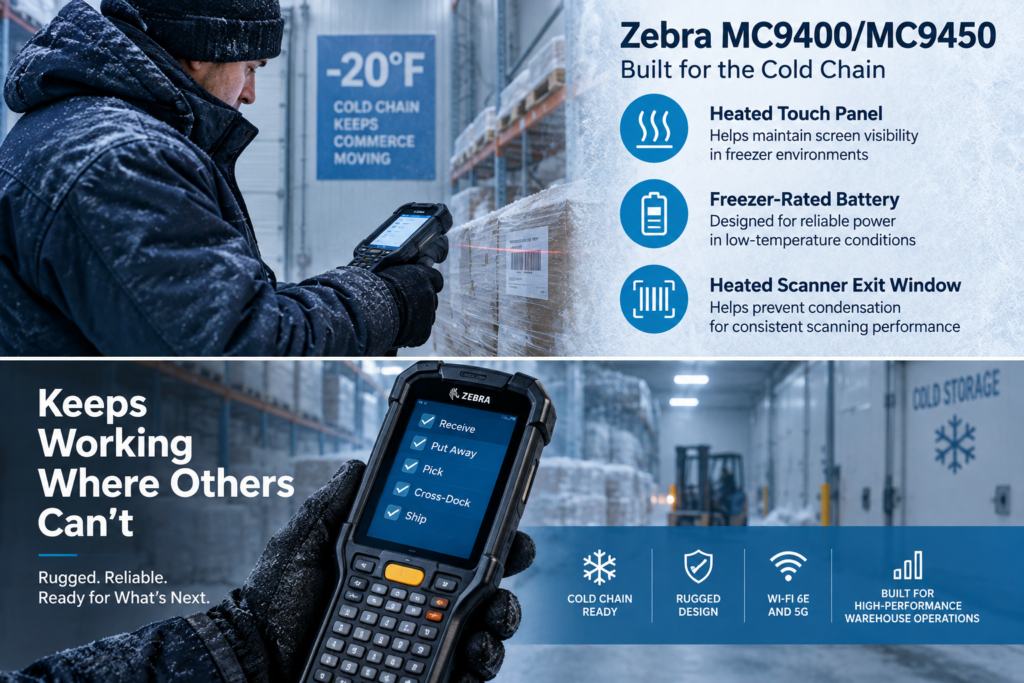
Standard warehouse environments are demanding enough.
Cold-chain operations introduce another set of challenges.
Condensation, freezing temperatures, battery performance and visibility can all affect ordinary mobile devices.
The original campaign specifically emphasizes that the mobility solution should not stop where the cold chain starts.
Heated Touch Panel
A heated touch panel helps maintain screen visibility during freezer work and heavy condensation conditions.
Freezer-Rated Battery
Cold temperatures can significantly affect conventional battery performance.
A freezer-rated battery is intended to provide more dependable power through long shifts in low-temperature environments.
Heated Scanner Exit Window
Moving repeatedly between freezer and ambient environments can cause condensation.
A heated scanner exit window helps preserve reliable barcode capture as workers transition between temperature zones.
For cold-storage facilities, food distribution, pharmaceutical logistics and other temperature-controlled operations, these details can be far more important than general-purpose device specifications.
Is the MC9400 or MC9450 Right for Your Operation?
The newest or most powerful device isn’t automatically the right choice for every warehouse.
Before selecting a mobile computer, consider the actual workflow.
Questions worth asking include:
- How far away are the barcodes employees typically scan?
- Will devices be used indoors, outdoors or both?
- Is Wi-Fi coverage available throughout the workflow?
- Would 5G connectivity be valuable?
- Are devices assigned to employees or shared?
- Are freezer or cold-chain environments involved?
- Which WMS and ERP applications must run on the device?
- How long is a typical shift?
- What battery strategy is currently being used?
- Which accessories are already deployed?
- Is the organization replacing an existing MC9300 fleet?
- What repair and replacement process will support the devices after deployment?
The answers often matter more than choosing a device based on a specification sheet alone.
A well-planned mobility deployment considers the device, scanner, battery, wireless network, accessories, software, configuration, repair coverage and lifecycle strategy together.
Planning an MC9300 Upgrade?
Existing MC9300 users have an especially interesting decision.
The additional processing power and memory, newer wireless capabilities and updated scanning technology can provide meaningful improvements, while backward accessory compatibility may make migration easier.
But upgrading an entire fleet simply because a newer model exists isn’t always necessary.
Organizations should consider:
- Current MC9300 condition
- Device age
- Repair frequency
- Battery health
- Application requirements
- Wireless infrastructure
- Operational changes
- Current support coverage
- Expected device lifecycle
In some environments, a phased replacement strategy may make more sense than replacing every device at once.
Keep the Entire Mobile Device Lifecycle in Mind
Choosing the correct hardware is only the beginning.
Warehouse mobile computing should be planned across the entire lifecycle:
Selection → Configuration → Deployment → Device Management → Maintenance → Repair → Replacement → Retirement
This is where working with a technology partner familiar with rugged mobile computing can make a meaningful difference.
Adirondack Networks works with warehouse, distribution, manufacturing and 3PL organizations to help source, configure, deploy and support mobile computing and AIDC solutions.
Whether you’re evaluating the Zebra MC9400/MC9450, planning an upgrade from an existing MC9000 Series fleet, improving warehouse scanning, or developing a broader mobile device strategy, the objective should be the same:
Give frontline workers technology that helps them move products accurately and efficiently—and keeps working throughout the shift.
Need Help Evaluating the Zebra MC9400 or MC9450?
Adirondack Networks can help you determine the appropriate device configuration, scanning options, accessories and support strategy for your warehouse or distribution environment.